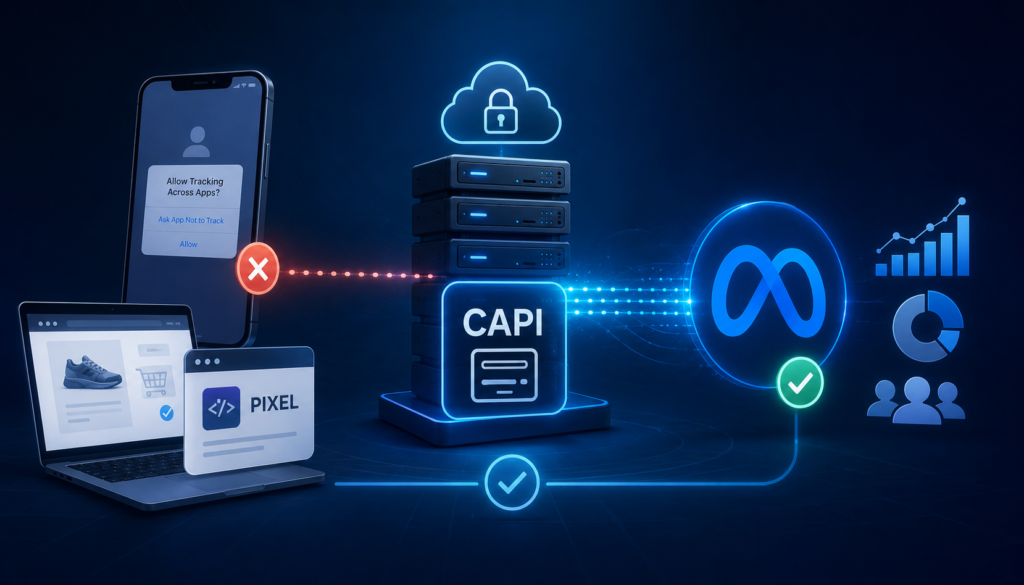
Meta’s Conversions API (CAPI) sends conversion events directly from your server to Meta, bypassing browser-based tracking broken by iOS privacy changes. Setup involves: (1) creating a system user and access token in Events Manager, (2) implementing server-side event forwarding, (3) matching CAPI and Pixel events via deduplication keys, and (4) verifying match quality. Most D2C brands see improved attribution and lower reported CPL within 1–2 weeks.
Why Your Tracking Broke
Apple’s App Tracking Transparency framework (iOS 14.5+) requires apps to ask permission before cross-app tracking. Most users decline. Meta’s browser-based Pixel lost visibility into a large share of conversions — especially iPhone traffic, disproportionately represented in higher-value D2C audiences. Your ads didn’t stop working; your reporting and Meta’s algorithm both went blind to conversions still happening.
What CAPI Fixes (and Doesn’t)
Fixes: under-reported purchases/leads/sign-ups, poor optimization signal, inflated apparent CPL/CPA.
Doesn’t fix alone: cross-device gaps unrelated to iOS, or data quality if event parameters aren’t hashed and sent correctly.
Step-by-Step Setup
- Create a System User in Business Settings → Users → System Users — never use a personal token for production.
- Generate a Permanent Access Token with ads_management and business_management permissions.
- Choose implementation: direct API integration (most control), partner integration (Shopify/WooCommerce/GTM Server-Side, faster), or a GTM Server-Side container (feeds both Meta CAPI and GA4 at once).
- Deduplicate Pixel and CAPI events using a shared event_id so Meta merges rather than double-counts.
- Send hashed customer data (SHA-256 email, phone, external ID) — this drives Event Match Quality (EMQ), which directly improves attribution and delivery optimization.
- Verify in Events Manager using Test Events — aim for “Good” or higher match quality, not just “OK”.
Pairing CAPI With GA4 Server-Side Tracking
A GA4 server-side container alongside CAPI gives one source of truth across ad platforms, more resilient tracking against future browser changes, and cleaner reporting for CRO and budget decisions — the same kind of rebuild that turns a “our tracking is a mess” account into one with accurate CPL and confident budget calls.
Before/After
| Metric | Common Before | Common After CAPI Fix |
| Reported conversions | Under-counted, especially iOS | Closer to actual sales/CRM data |
| Event Match Quality | Poor–OK | Good–Great |
| Apparent CPL | Inflated | Drops toward true cost |
| Delivery optimization | Targeting stale signal | Optimizing toward real converters |
FAQs
Do I still need the Pixel if I set up CAPI? Yes, they work together via deduplication for combined coverage.
How long until I see results? Measurable improvement in 1–2 weeks; full delivery optimization can take a full learning-phase cycle (~50 conversions).
Is CAPI only for e-commerce? No, applies to any conversion event, including lead forms and click-to-WhatsApp.